Showing posts with label AADSync. Show all posts

Wednesday, May 6, 2015

Updating AADSync Scheduled Task

If you ever need to update AADSync’s scheduled task, it is likely that you will need to update the credentials it runs under. When you do that, and if you do not assign the correct permissions, you might get the following error message:
 
This is because the account used does not have the required permissions. Make sure you add it to the local Admins group and to the local ADSyncAdmins group.

Tuesday, April 14, 2015

AADSync Performance Counters Error

While working on a project recently, I came across the following error on my AADSync server:

Log Name:      Application
Source:        ADSync
Date:          1/12/2015 12:47:11 PM
Event ID:      6313
Task Category: Server
Level:         Error
Keywords:      Classic
User:          N/A
Computer:      AADSync.contoso.com
Description: The server encountered an unexpected error creating performance counters for management agent “xxxxx.onmicrosoft.com – AAD”.


Performance counters will not be available for this management agent.


To fix this issue in AADSync, you can either perform a clean install (often out of the question) or run the following commands to reload the performance counters:

  1. Stop AADSync’s service;
  2. Delete the following registry key: [HKEY_LOCAL_MACHINE\SYSTEM\CurrentControlSet\Services\ADSync\Performance];
  3. Recreate the Performance key;
  4. Run the following two commands from an elevated command prompt:
    • unlodctr.exe ADSync
    • lodctr.exe “C:\Program Files\Microsoft Azure AD Sync\Bin\mmsperf.ini”
  5. Start AADSync’s service.

Monday, March 23, 2015

Azure Active Directory Connect Public Preview

The latest version of the Azure AD Connect has been released – the March 2015 Public Preview update.

The Azure AD Connect wizard Public Preview provides a guided experience for integrating one or multiple AD forests with Microsoft Azure AD. Optionally you can configure Exchange Hybrid deployment, password change write-back, ADFS and Web Application Proxy.

Azure AD Connect encompasses functionality that was previously released as DirSync and AADSync. These tools will eventually stop being released individually and all future improvements will be included in updates to Azure AD Connect.

This latest version has been updated with new capabilities, support for additional sync options, Additional Tasks and “Pilot Mode”.

You can download it from the Connect website.

Friday, March 20, 2015

How to change AADSync credentials

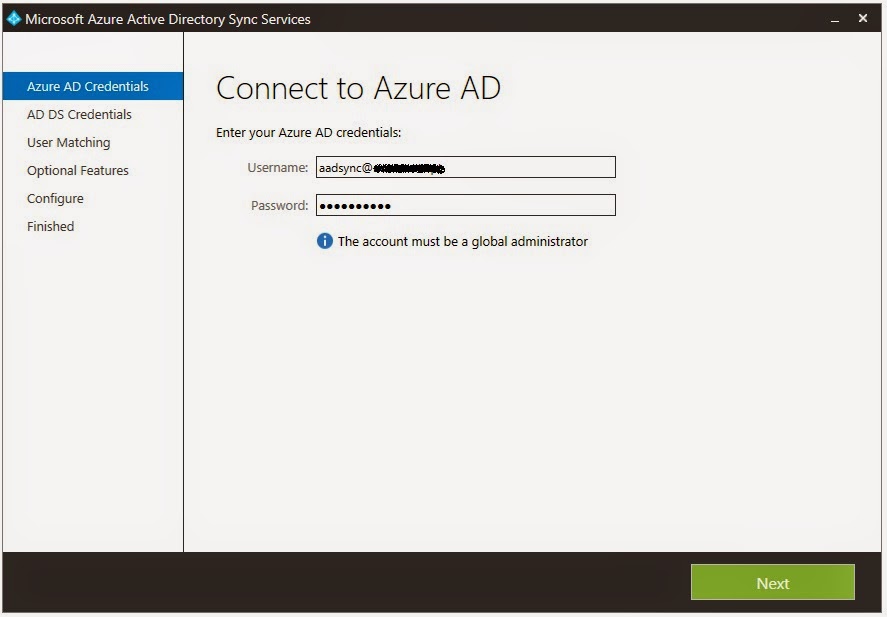
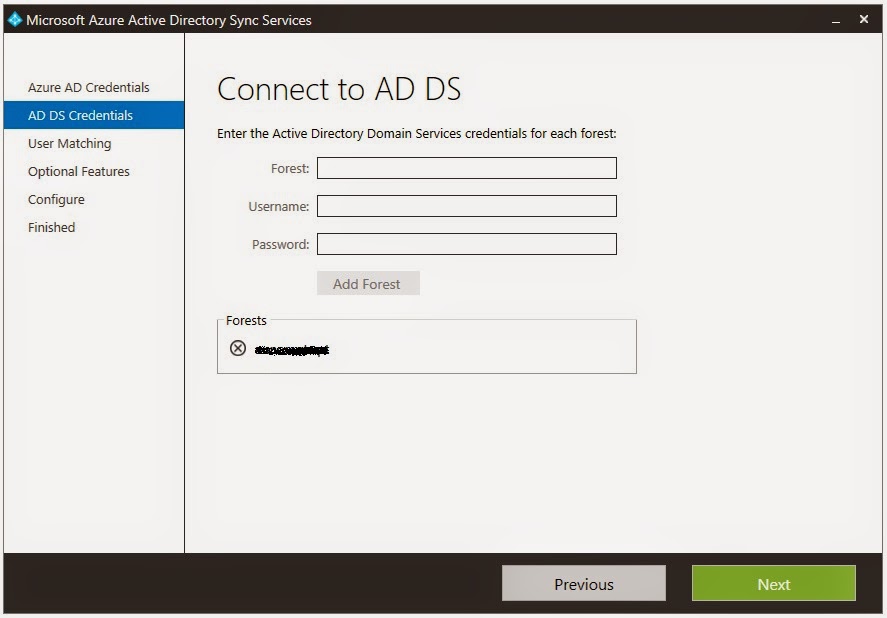
When it comes to changing the credentials AADSync uses to connect to the on-premises Active Directory (AD) or to Azure AD, one might think that re-running the wizard and updating the credentials there would do the trick:

 
However, if you re-run the wizard again, you will see that the old credentials are still being used... So how can we change these credentials?! To do this, we need to use the miisclient.

First, navigate to "install dir"\Microsoft Azure AD Sync\UIShell and run missclient.exe. Then, click in Connectors. Here you will have two connectors, one is used to connect to the local AD and the other to connect to Azure AD:
 
To update the credentials used to connect to the local AD, double-click the respective connector and then go to Configure Directory Partitions. Here, select Alternate credentials for this directory partition, enter the new credentials and click OK:
 
To update the credentials used to connect to Azure AD, double-click the respective connector and then go to Connectivity. Here, enter the new credentials and click OK:
 
Job done!

Monday, December 1, 2014

Attributes Synchronized to Azure AD by AADSync

If you want to know exactly what Active Directory (AD) attributes get synchronized to Azure AD by AADSync, or which AD attributes each Office 365 service consumes, the tables in this webpage will provide you with all the information you need!

Monday, November 24, 2014

DirSync vs AADSync

The eventual successor to Azure Active Directory Synchronization Tool (DirSync) is the Azure Active Directory Synchronization Service, also known as AADSync. Although AADSync provides new features that DirSync does not, it also lacks a few features currently in DirSync, especially in the first GA version... So what exactly are the differences between the two?!

For a comparison chart of the features that each of these tools currently supports for synchronizing your directory with Azure Active Directory, visit the Directory Integration Tools webpage.

Monday, November 10, 2014

AADSync ProxyAddresses Not Synchronized to Office 365

If you have installed the first publicly available version of AADSync (v1.0.0419.0911), the eventual successor to DirSync, you might have noticed that the ProxyAddresses attribute will not get synchronized to Office 365. Unfortunately this means that all proxy addresses will be gone in Exchange Online!

It turns out this is not a configuration error, but a bug with this release... Microsoft statement is that “currently Proxyaddresses will not work with AADSYNC, and will be addressed in the next release”.

As such, you have two alternatives:
   1. Update to the latest version of AADSync, v1.0.0470.1023 (obviously recommended!);
   2. If, for some reason, you don’t want to upgrade, edit the existing rule to sync the proxyaddresses attribute.