Showing posts with label Hybrid. Show all posts

Wednesday, June 24, 2020

RecipientNotFoundPermanentException when migrating a mailbox to Exchange Online

The other when migrating a mailbox from an on-prem Exchange 2013 environment to Exchange Online, I was faced with a RecipientNotFoundPermanentException error with the message “Error: Cannot find a recipient that has mailbox GUID '39c970e4-4869-47ee-b9af-f6fd6264ee0a'.”


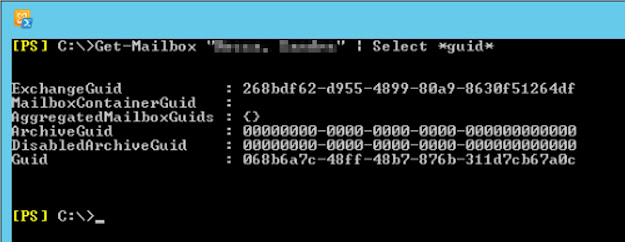
These were the details for the mail user in Exchange Online (notice the ExchangeGuid attribute):


 And these were the details for the mailbox on-premises:


As you can see, the ExchangeGUID was the same! And where was that '39c970e4-4869-47ee-b9af-f6fd6264ee0a' GUID coming from?!

After much troubleshooting, I ended up logging a support ticket with Microsoft. According to the engineer, “this issue is caused due to multiple mailbox shards”. Unfortunately, he wouldn’t go into details as apparently it is all secret stuff... But he ran some diagnostics to resolve the issue, and after a few minutes all was well with the world again!

Friday, March 27, 2015

Speeding up the Exchange Hybrid wizard in global deployments

If you ever ran the Exchange Hybrid wizard in an environment with servers all over the world, it is likely that it took a few hours to run. But why?
 
If we look at the wizard’s logs ($exinstall\Logging\Update-HybridConfiguration), we will see that most of the changes are fairly quick. However, it eventually goes on to run a Get-WebServicesVirtualDirectory to analyse the EWS virtual directories (VDs) across all Exchange servers in the environment to determine if any need to be configured. If this comes back true, then the wizard runs the same cmdlet again followed by a Set-WebServicesVirtualDirectory to enable the MRS Proxy for VDs that currently have it disabled. After all the necessary EWS VDs are configured, the wizard runs a Get-WebServicesVirtualDirectory for a third time to validate the configuration/changes made.
 
The problem here is running the *et-WebServicesVirtualDirectory cmdlet between servers in different countries or even continents. How long does it take for you? Usually it should be a few minutes for each server, but I have seen cases where it takes 30 minutes or more. Now multiply that by the total number of Exchange servers and it can quickly turn into hours and hours...
 
If, for example, your environment also has Exchange 2007 servers, although these do not use or have the MRS Proxy service, because the wizard simply runs the Get-WebServicesVirtualDirectory cmdlet, this returns 2007 servers (instead of filtering them out...), which contributes to delaying the process.
 
So, to speed things up a bit, you can manually login to all the servers, enable the MRS Proxy and only then run the Hybrid Wizard. Typically I was only enabling it on the Hybrid servers or servers that I was planning to use for mailbox migration, but the wizard enables it across estate anyway...
 
 
To recap, the Mailbox Replication Service Proxy (MRS Proxy) facilitates cross-forest mailbox moves and remote move migrations between an on-premises Exchange organization and Exchange Online. During cross-forest and remote move migrations (aka hybrid migrations), a Client Access server acts as a proxy for incoming move requests for the Mailbox server. The ability of a Client Access server to accept these requests is disabled by default. To allow the Client Access server to accept incoming move requests, we have to enable the MRS Proxy endpoint.

Friday, March 20, 2015

How to change AADSync credentials

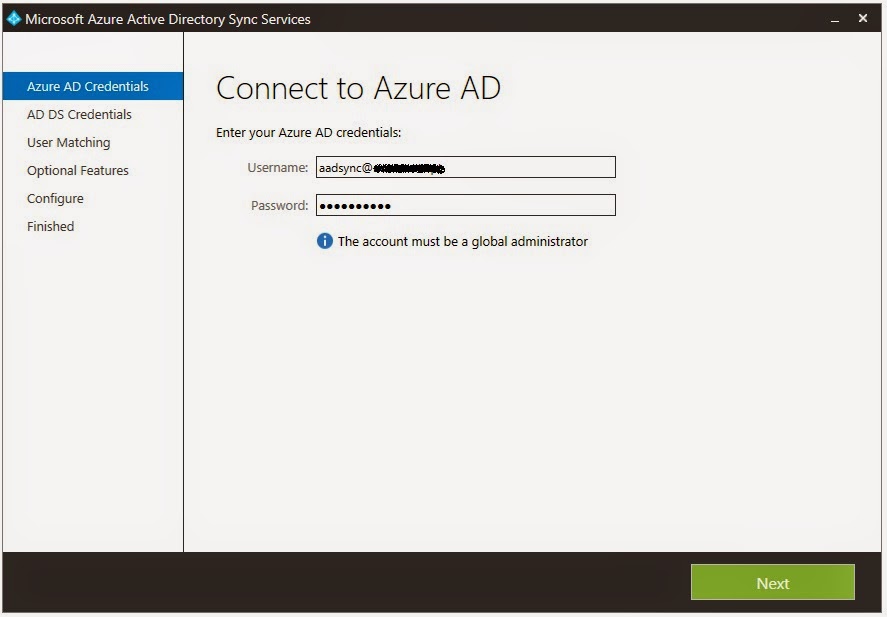
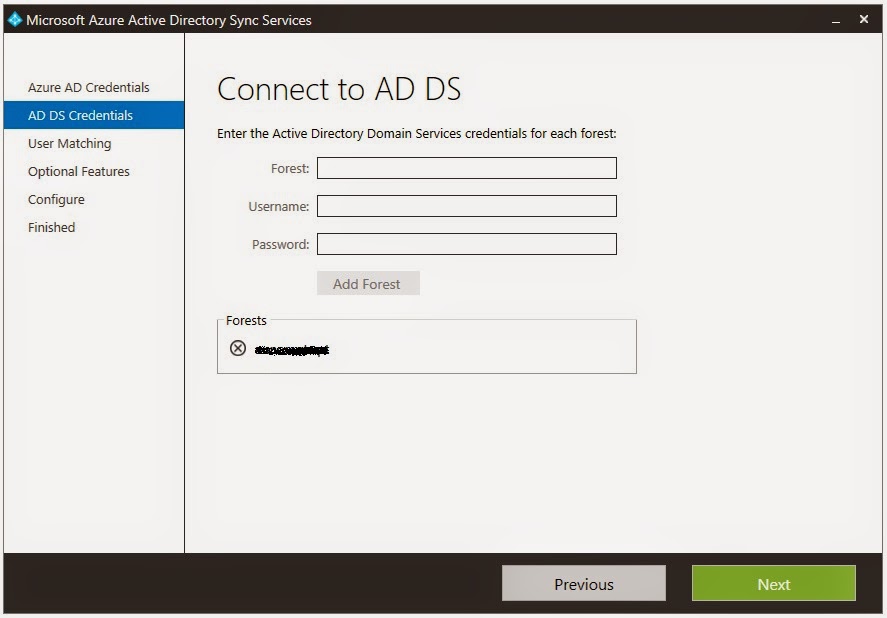
When it comes to changing the credentials AADSync uses to connect to the on-premises Active Directory (AD) or to Azure AD, one might think that re-running the wizard and updating the credentials there would do the trick:

 
However, if you re-run the wizard again, you will see that the old credentials are still being used... So how can we change these credentials?! To do this, we need to use the miisclient.

First, navigate to "install dir"\Microsoft Azure AD Sync\UIShell and run missclient.exe. Then, click in Connectors. Here you will have two connectors, one is used to connect to the local AD and the other to connect to Azure AD:
 
To update the credentials used to connect to the local AD, double-click the respective connector and then go to Configure Directory Partitions. Here, select Alternate credentials for this directory partition, enter the new credentials and click OK:
 
To update the credentials used to connect to Azure AD, double-click the respective connector and then go to Connectivity. Here, enter the new credentials and click OK:
 
Job done!

Thursday, March 19, 2015

Dynamic Distribution Lists in a Hybrid Environment

In a hybrid deployment environment between Exchange Online and on-premises Exchange organizations, neither DirSync nor AADSync can be used to synchronize dynamic distribution lists (DDL) to Exchange Online. Therefore, mailboxes that have been migrated to Exchange Online cannot see DDLs in their GAL or email them.
 
To work around this issue, create a MailContact in Exchange Online for the DDL, and then grant permissions so that only authenticated senders can submit messages to the new contact. This object should have the following mappings:
 
On-Premises DDL
Cloud MailContact
Name
Name
proxyAddress
ExternalEmailAddress
Alias
Alias
 
You should also consider the scope of the DDL before mailboxes are moved to Exchange Online. If the scope included only mailboxes, the scope must be expanded to include mail users and mail contacts. To do this, open the properties of the DDL and on the membership tab (in Exchange 2013), also select Mail users with external email addresses. If using the Shell, add MailUsers to the IncludedRecipients property of the DDL.
 
Exchange Online users can now select the DDL from the GAL. When they do, messages will be delivered to the members of the group as defined by the settings for the group.

Friday, January 23, 2015

Exchange Online Onboarding Message Size Limit Now 150 MB

Whenever administrators migrate mailboxes to Exchange Online, an onboarding limit in terms of message size always apply in order to avoid migrating huge messages and potentially impact service. Up until now this limit was 25MB (attachment size) plus overhead, so approximately 36MB in total. If a mailbox contained any emails over this size, they would simply be skipped and administrators had to find alternative ways to import them. To be honest, not many companied allow such big emails, but I have worked with a few that do, which would cause an issue if migrating to Office 365...

Now, this limit has been increased to 150MB (and is already available to all customers)! However, please have the following in mind:
  • This new limit only applies to onboarding moves using the native Mailbox Replication Service (MRS) and which target AD user objects with a RecipientType of MailUser (MEU) that do not have MaxReceiveSize stamped. For example, hybrid deployments;
  • All other data migration solutions, both using Microsoft tools and 3rd party tools target UserMailbox (MBX) AD users (i.e., rely on the mailbox already being created in Exchange Online). The increased onboarding message size limit does not apply to these solutions which will use the limit (MaxReceiveSize) configured on these MBX objects. The maximum-allowed onboarding message size limit for these solutions remains 36MB. This includes merges (staged and cutover migration), IMAP, EWS, MAPI, 3rd party tools, and PST Import.

The good news is that soon administrators will be able to customize the send/receive size limit, enabling them to modify the MaxSendSize and MaxReceiveSize limits on their MBXs and MEUs, effectively overcoming this limitations (hopefully).

The Exchange Online Service Description has now been updated to reflect this change.